
How to Upload Your Recording(s)
- Log in to your my.honorsperformance.org online portal.
- On the top banner, click on Enrollment Forms and Info.
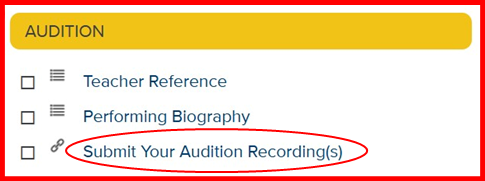
- Scroll down the page to the golden “Audition” banner and click on Submit Your Audition Recording(s).
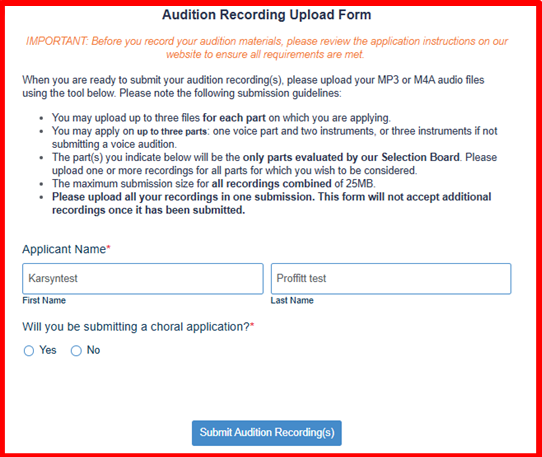
- On the Audition Recording Upload Form, read the submission guidelines and fill out the information before clicking Submit Audition Recording(s).
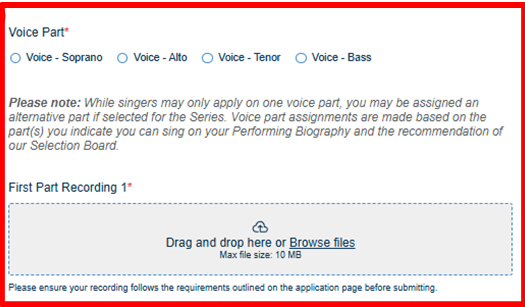
- Choose the voice part or instrument for which you are submitting your audition and upload your audio recording through the First Part Recording 1 box.
- Please ensure that your audition audio is labeled correctly (see the Recording Submission Guidelines below for clarification).
- If you are uploading extra recordings, feel free to use the remaining two upload boxes to submit these recordings.
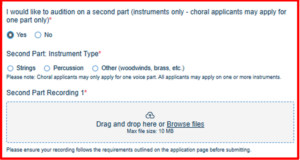
- If you wish to submit an audition on a second or third part or instrument, follow the instructions in the form for these extra submissions. Otherwise, skip these questions and click Submit Audition Recording(s).
Recording Submission Guidelines
Please review the following requirements before completing and submitting your recording:
- Recordings may not be engineered, edited, or enhanced in any manner.
- Begin each piece by saying your full name and the instrument or voice part for which you are auditioning.
- Recordings can be audio or video. Please note: We will do our best to notify students if we encounter a problem with an audition recording, but we cannot guarantee that the Selection Board will be able to review your submission if it is not submitted in the required format.
- When naming the file, please include your first and last name, as well as the instrument or voice part for which you are auditioning (i.e.: Pedro Pascal-Viola Audition.mp3).
- You may audition on multiple instruments and/or as both a vocalist and an instrumentalist. You only need to complete Online Enrollment once, including one teacher reference and one performing biography. However, you must submit a separate audition recording for each instrument or voice part you wish to be considered for.
Please note: The audition upload form can be submitted only once per applicant. If you are applying for more than one part, please submit the form only when you are ready to upload your audition recordings for all parts.
Recording Tips and Suggestions
- Recording your audio on a phone or tablet is fine. A professional microphone is not necessary.
- Place the recording device on a flat surface with the microphone unobstructed.
- Check sound levels after you record to ensure sound is not distorted in loud passages and inaudible in soft passages.
- Listen to your final recording in its entirety to ensure that there is no extra sound, distortion, or noise before, during, or after your performance.
- Prepare and gather all your audio or video files before filling out the upload form.
Judging Criteria
- Tone Quality (resonance, control, clarity, focus, consistency, warmth)
- Intonation (accuracy to printed pitches)
- Rhythm (accuracy of note/rest values, duration, pulse, steadiness, meter adherence)
- Technique (artistry, attacks and releases, control of ranges, musical/mechanical skill)
- Interpretation/Musicianship (style, phrasing, tempo, dynamics, emotional involvement)
- Diction/Bowing/Articulation